


Data leaks show time and again that reused passwords are a major risk. Attackers use automated login attempts (“credential stuffing”) – often just a few hits are enough. StickSafe reduces this risk by keeping sensitive data offline and encrypted under your control.
Current threat situation
Automated attacks are now the norm – and no longer the exception.
- Billions of access data for automated login attacks are in circulation.
- Data leaks are combined and constantly retried.
- Even a single hit can open accounts, systems or identities.
Why reuse is so dangerous
One password – many doors. That is exactly what attackers exploit.
- One leak is enough: the same login often works elsewhere too
- Bots try combinations around the clock (credential stuffing)
- Rule of thumb: length + luck wins
How StickSafe reduces your risk
Offline storage + encryption – under your control.
- Access data and documents remain locally in the “DATA” folder.
- Access only with master password (and emergency unlock via PUK)
- Strong passwords stored offline significantly reduce the risk
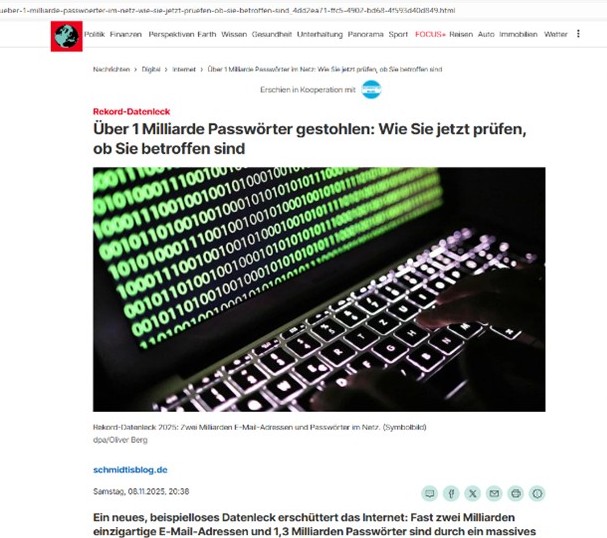
It was an unprecedented data leak that caused quite a stir on the internet. Nearly two billion unique email addresses and 1.3 billion passwords have been made publicly available through a massive credential stuffing leak.
A security researcher collected this data on his platform. It is the largest data set the project has ever processed. Particularly alarming: 625 million of the passwords were previously completely unknown and appeared in the lists for the first time.
The data comes from the Synthient threat intelligence platform and differs fundamentally from the recently discovered stealer logs collected by malware on infected computers. Instead, login details from various known data leaks have been bundled together here. Criminals use such lists to log into other people’s accounts through automated attacks – often successfully, because many users use the same password for multiple services.
The results were alarming.
The security researcher checked the data quality of HIBP users. The results were truly alarming: many of the passwords found were still in active use, even though some were over ten years old.
One user confirmed that a password he was currently using appeared in the lists. He immediately changed all his important passwords. The passwords can be searched anonymously using the Pwned Passwords service without any link being made to the associated email addresses.
StickSafe protects your most important data like a Swiss bank vault – offline and encrypted.
- Online banking / Insurance / Health insurance
- Identification cards, contracts, powers of attorney
- Emergency information for relatives (contacts, notes, procedures)
Credential stuffing refers to automated login attempts using combinations of email addresses and passwords that have been obtained from previous leaks.
Unfortunately, this often works because passwords are reused across multiple services.
- Automated tests against many services
- Successful in password reuse
- Result: Account takeovers despite “strong” service
In November 2025, a large data set was made public, comprising almost 2 billion unique email addresses and around 1.3 billion passwords. Security researcher Troy Hunt indexed the data in “Have I Been Pwned” – it was the largest data set the project had processed to date.
Important: These were not “stealer logs” from infected devices, but bundled access data from various known leaks – exactly what is used for credential stuffing.
You can reduce the risk very quickly – in three simple steps:
- Separate passwords consistently: a separate password for each service
- Secure critical accounts: enable two-factor authentication (where available)
- Perform a leak check: immediately change affected passwords (especially for email, banking, shops)
If you want to manage your logins offline (without cloud dependency), a local password manager such as StickSafe is exactly what you need.
FAQ:
Do I need the internet or cloud storage?
No. StickSafe runs offline – your data remains locally on your storage device.
What happens if the USB medium is lost or stolen?
Without the master password (or, in an emergency, without the PUK), the data cannot be read.
Is StickSafe multilingual?
Yes. The website and software are available in 8 languages – ideal when multiple people or teams work with different languages.
Why do you recommend USB 3.0?
For noticeably better speed – especially with lots of files, scans or larger archives.
How much storage space do I typically need?
Documents and passwords only: 8–32 GB is often sufficient. For lots of PDFs/photos, 64–256 GB is more likely to be needed; for very large amounts of data, SSD is better.
Can I use StickSafe on multiple devices?
Yes – you can use the medium on different PCs (with StickSafe installed). The data remains on the medium.
How does emergency access (PUK) work?
You decide who keeps the PUK. This allows you to unlock your device in an emergency without having to disclose your master password.
Is StickSafe also suitable for companies or teams?
Yes, especially for clearly defined responsibilities, “break-glass” access and structured filing – without the need for cloud storage.